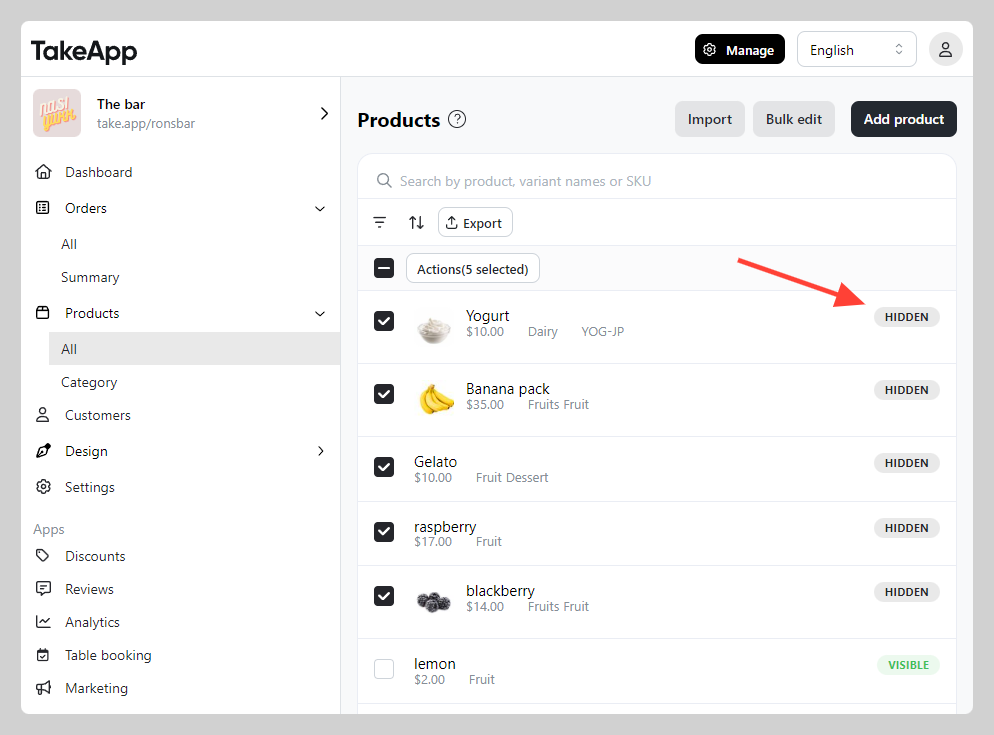
You can make your products visible or hidden from the storefront.
How to hide your products
-
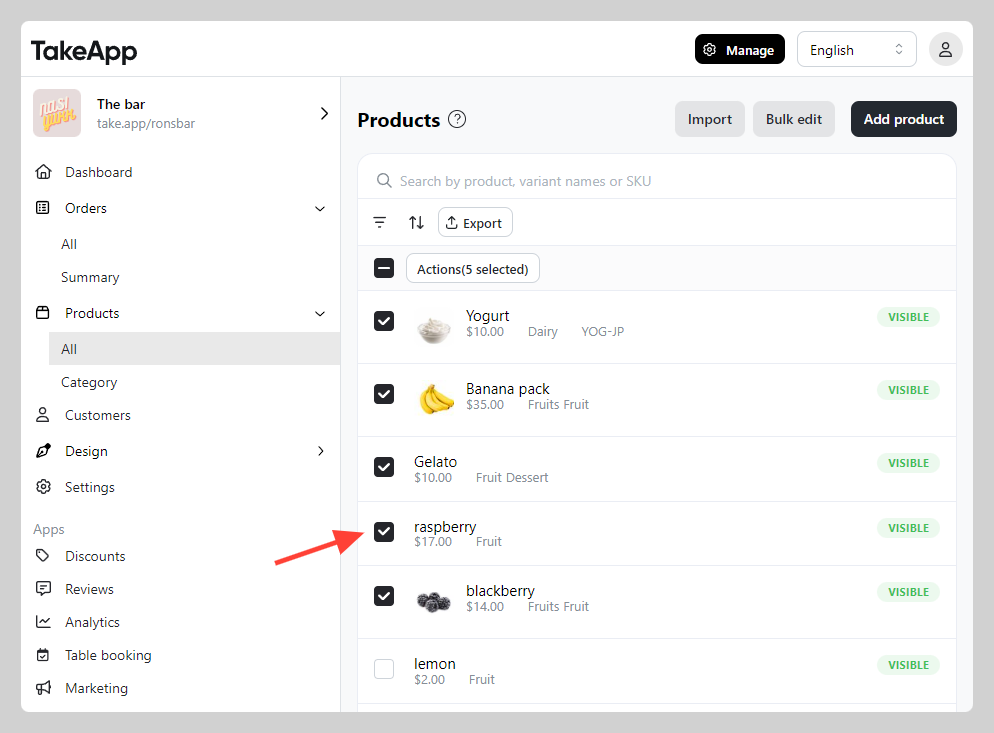
1. Go to Admin > Products > All > choose all the product that you want to hide
-
2. Click
Actionand chooseMake hidden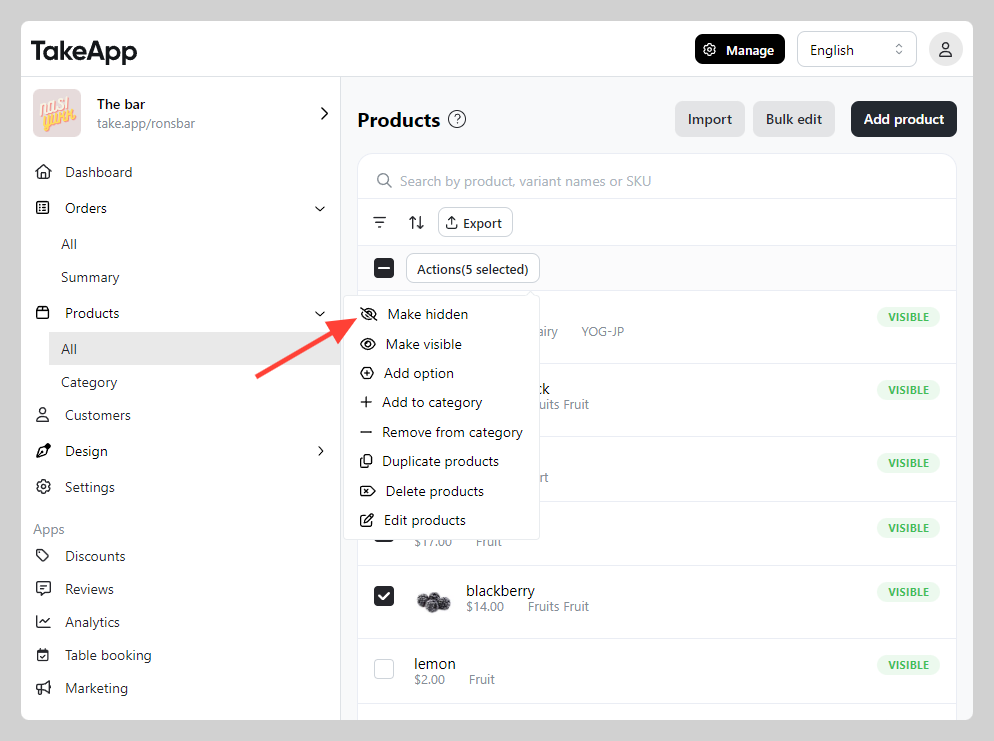
-
Verify if the visibility status has been changed from "Visible" to "Hidden"